Whether you’re trying to hit New Year’s resolutions or just need a good workout or diet tracker, the best health and fitness apps can help you get there. And if you’re feeling overwhelmed (or underwhelmed) by the choices available, I’m here to share personally-tested workout and planning apps to get you started.
Some people thrive with personalized, AI-made workout or diet plans. Others benefit from social apps like Strava where challenges and “kudos” from friends keep you motivated. And you’d be surprised how a good spreadsheet or basic workout log might work better than an expensive app with videos and plans.
Broken down into specific categories — general health/ fitness apps, workout apps, companion apps for smartwatches, and weight/ diet apps — these are the best apps to help you hit your goals for 2026, with info on key features, pricing, and why they’ve helped our staff succeed with their goals.
You may like
General health & fitness apps
Image 1 of 3
 (Image credit: Derrek Lee / Android Central)
 (Image credit: Derrek Lee / Android Central)
 (Image credit: Derrek Lee / Android Central)
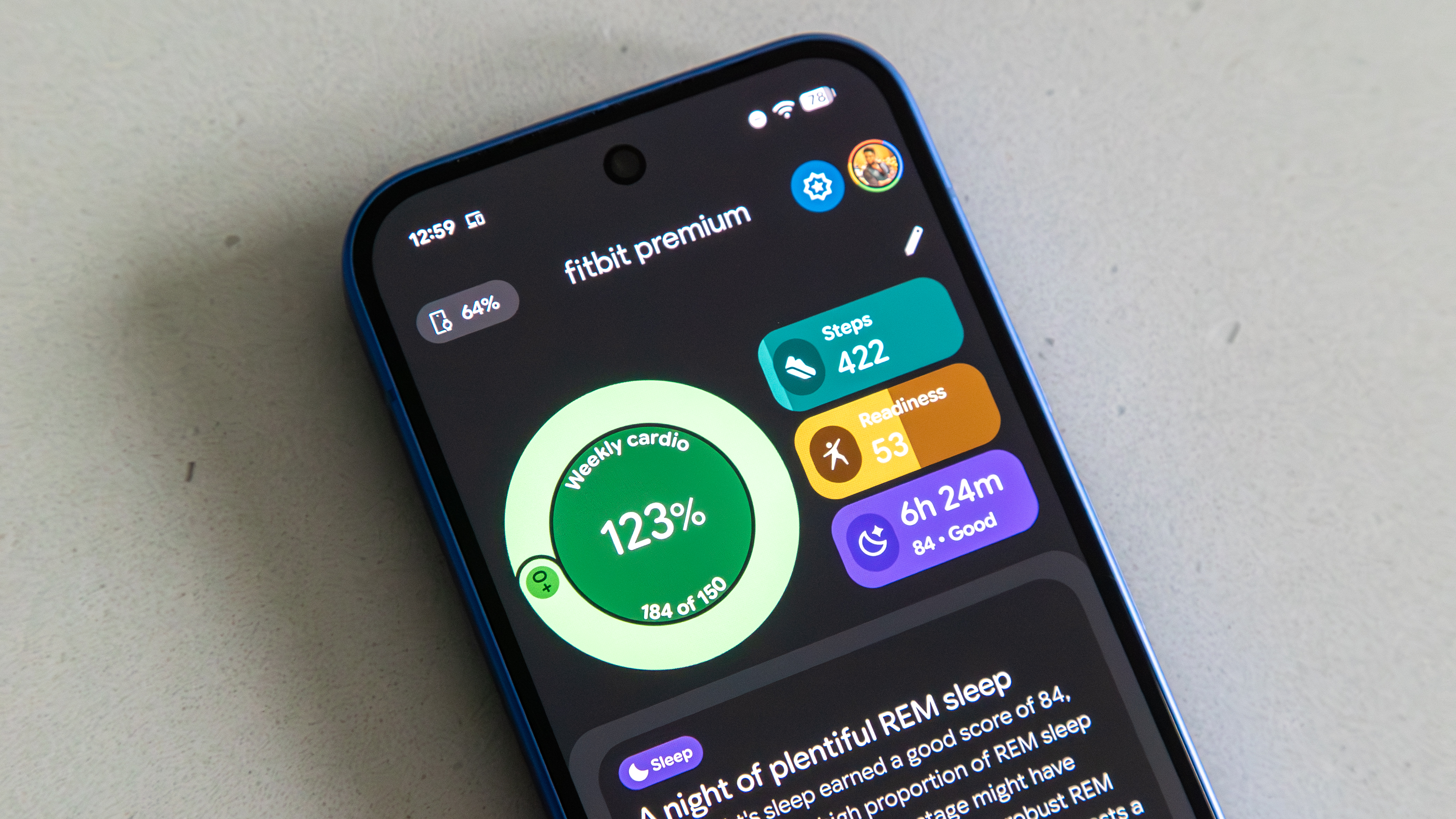
Key Health Features: Sleep Score, Daily Readiness Score, Stress Management Score, Menstrual Health, Meal & Water logging, Mindfulness sessions, Trend “Insights”
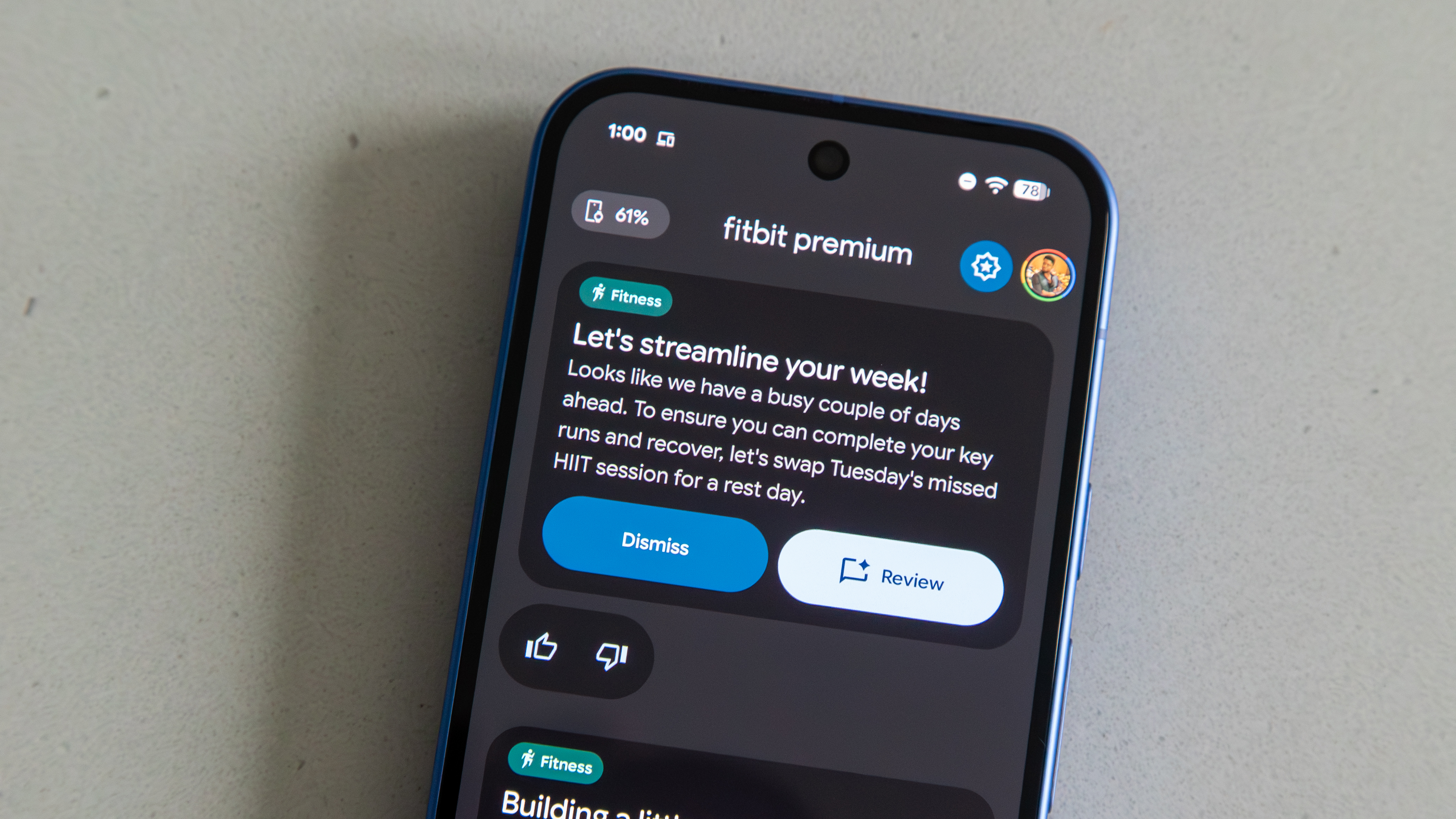
Key Fitness Features: Active Zone Minutes, Cardio/ Target Load, Gemini-made personalized workout plans, video workouts, Fitbit/ Pixel Watch integration
Subscription: $10/month or $80/year (AI plans/ analysis, video workouts, long-term reports)
Why Fitbit will help with your goals: Recommending Fitbit Premium became easier once Google employed Gemini to make the Fitbit Personal Health Coach. It allows you to “speak” to an AI coach and create a comprehensive workout plan within minutes, incorporating dozens of different indoor or outdoor workout types. So whether your fitness goal is to lose weight, improve at a specific sport, increase muscle mass, walk more, or anything else, Gemini can give you weeks of personalized workouts for that goal. No other app is as comprehensive or customizable.
AI aside, Fitbit benefits from syncing with cheap Fitbit trackers, so the app can track stats like resting heart rate, blood oxygen, skin temperature, sleep zones, and HRV. The new app shows “Insight” cards with trend data for these stats, so you can see how your health is improving as you try to get fitter or lose weight.
Why we rely on Fitbit: “Fitbit is simple and accessible for anyone just starting out with serious workouts.” — Derrek Lee, Managing Editor
“I love the new interface and how simple it is to get important data at a glance. I’ve been impressed with the AI coach and its recommendations. I think it’s one of the best lifestyle fitness apps with a holistic approach.” — Tshaka Armstrong, Contributor
Image 1 of 3
 (Image credit: Michael Hicks)
 (Image credit: Michael Hicks)
 (Image credit: Michael Hicks)
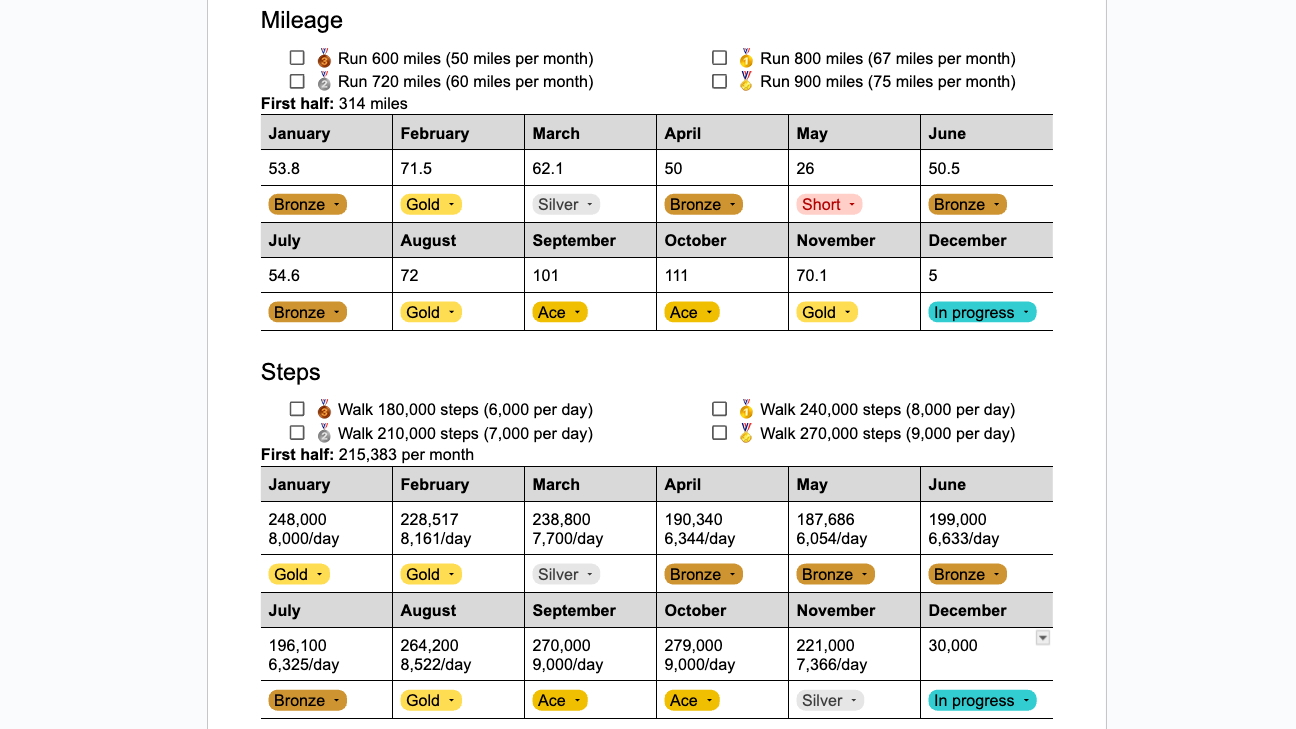
Why a spreadsheet will help with your goals: Apps can be motivational and auto-track your data and progress over time, with fancy graphs and AI analysis. But they’re usually (A) paid, (B) mobile-only, and (C) specialized to one activity.
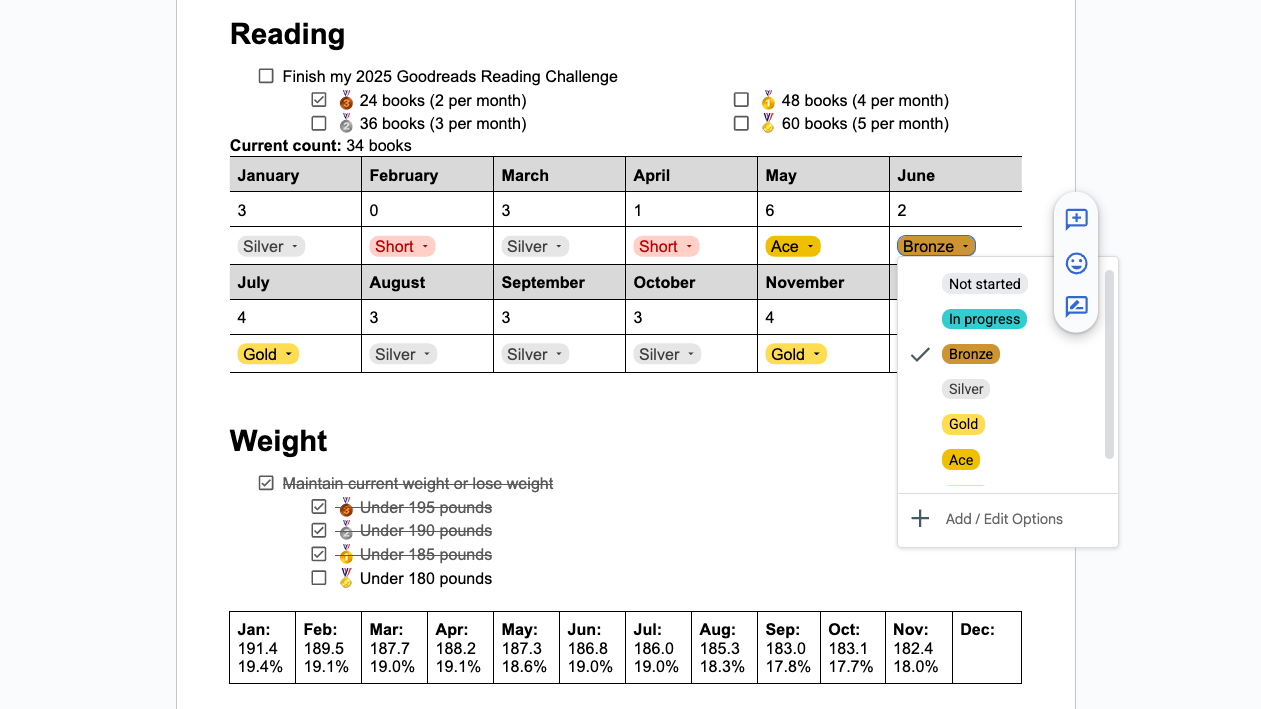
That’s why, when it comes to New Year’s resolutions or making a workout calendar, a simple document or spreadsheet works better than trying to find the perfect, all-in-one app! Use other apps to track specific goals like miles/ steps/ weight loss/ books read, but consolidate them all into one document you can check on your phone or computer, using tables and drop-down menus to label your progress (as I did above).
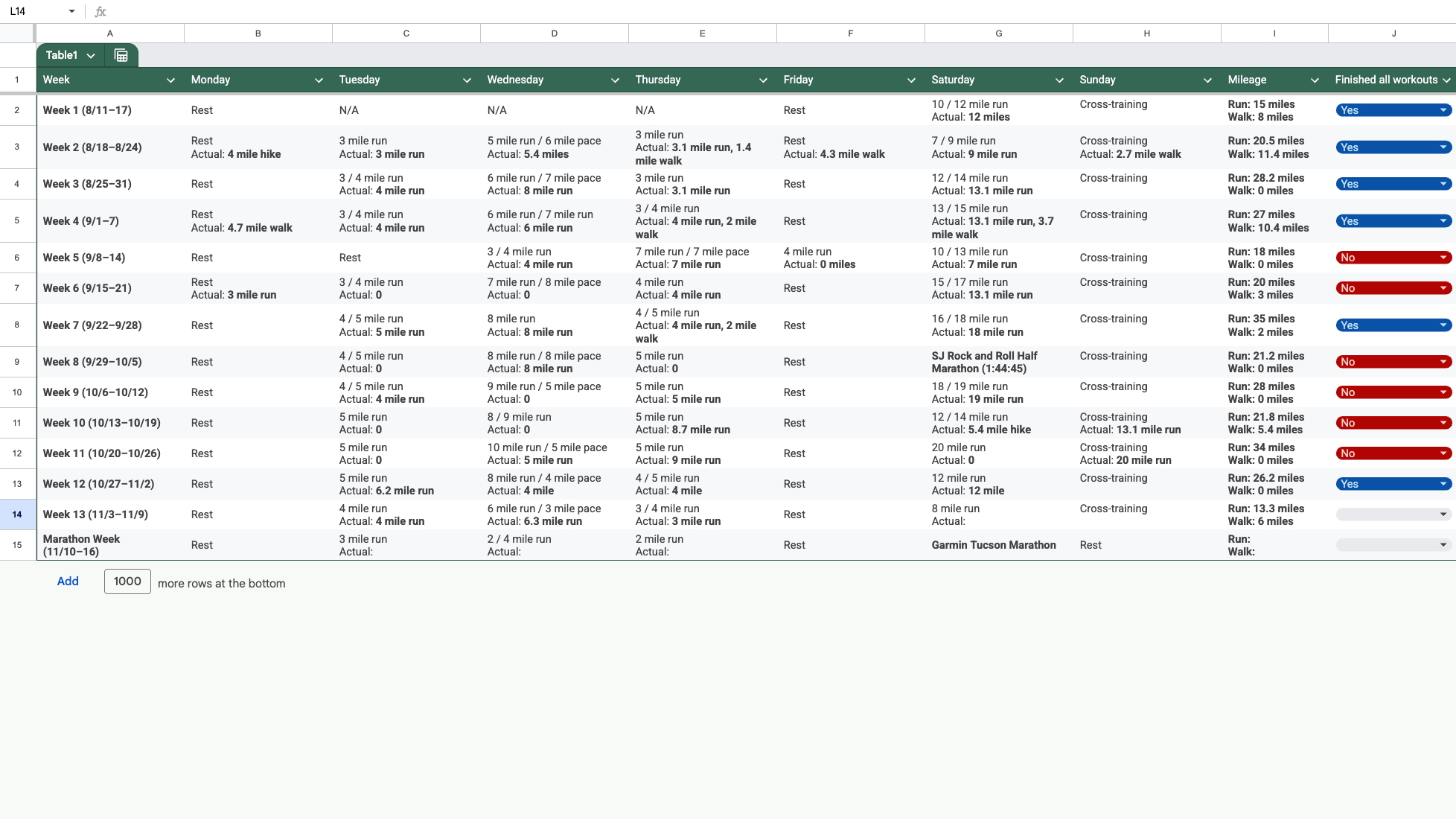
Or, use a spreadsheet to lay out your long-term workout plans, then a specific running or strength app to put those plans into action. I used that method to plan my months-long marathon training (see above), paired with my Garmin watch, and it was highly effective.
Why we rely on Google Docs/ Sheets: “Yeah, it sounds silly, but I actually found a use for spreadsheets. I need upper body strength, so lifting weights is the way I try to maintain it. I can keep record of my current routine as well as any goals, and there is plenty of room for extra notes. Best of all, I can check off each day’s workout from my phone or my desktop and have access to all my long-term progress, so I feel like I’m accomplishing something.” — Jerry Hildenbrand, Senior Editor
Image 1 of 3
 (Image credit: Michael Hicks / Android Central)
 (Image credit: Michael Hicks)
 (Image credit: Michael Hicks / Android Central)
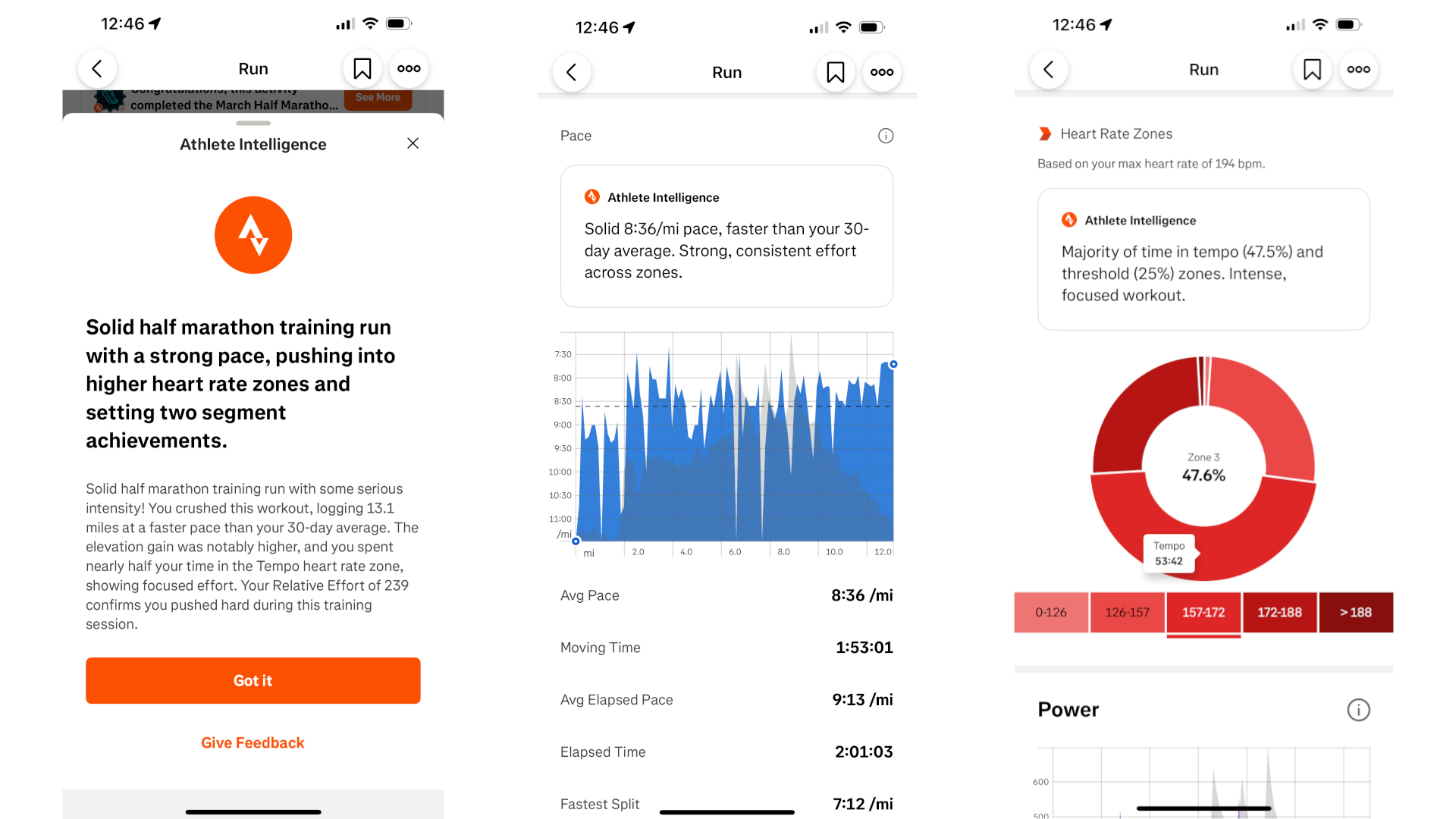
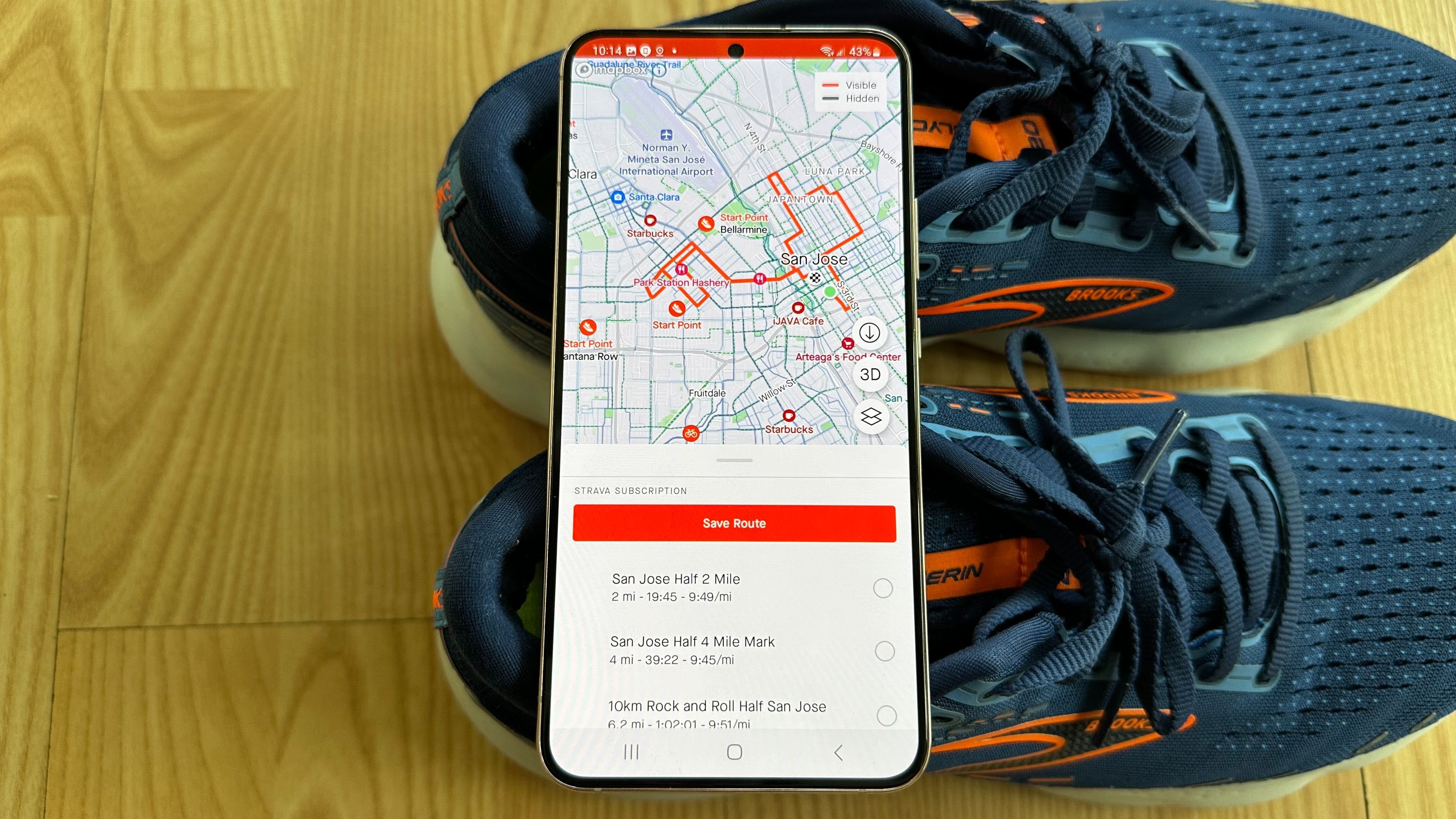
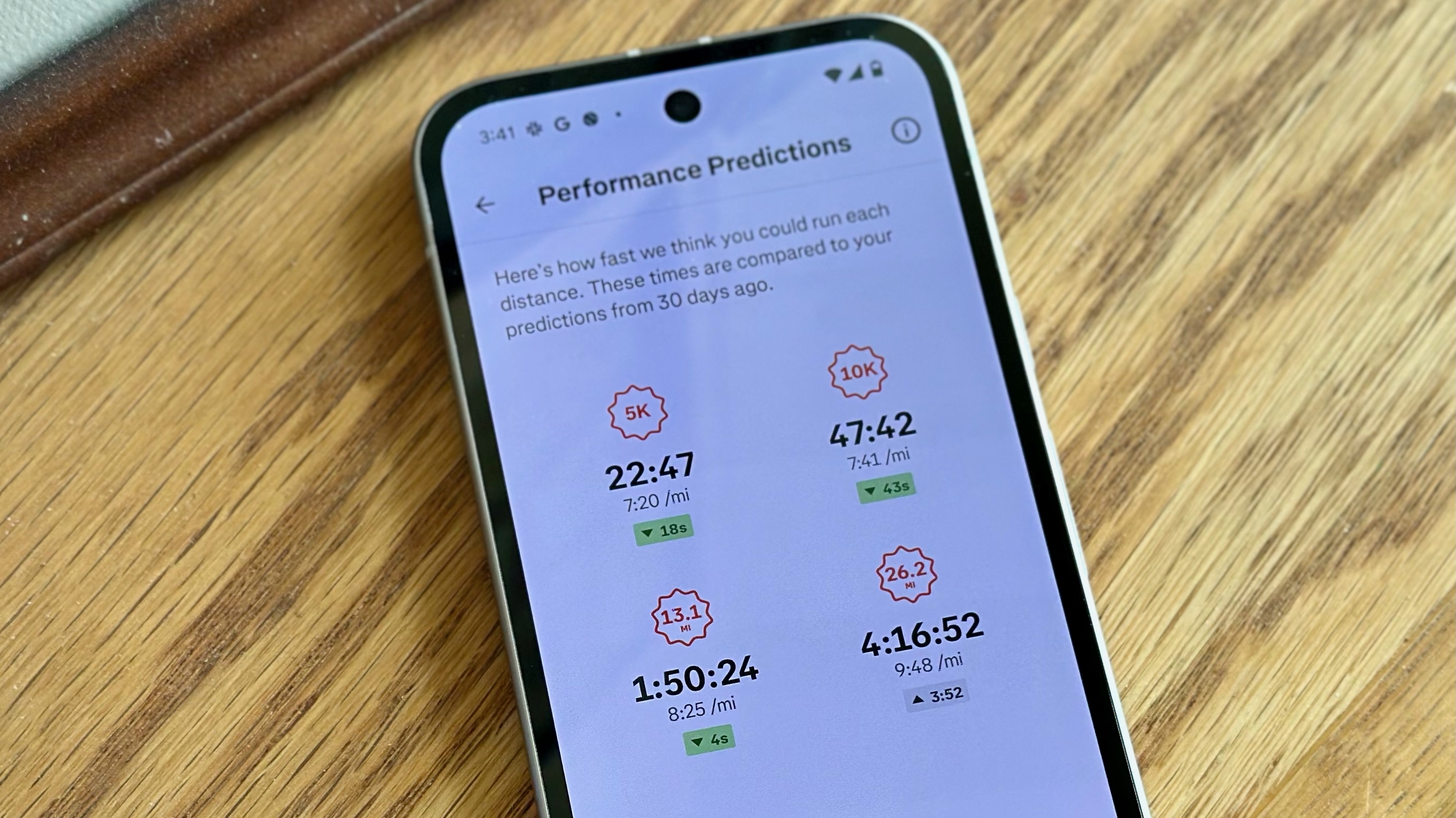
Key Fitness Features: Activity recording, local routes with 3D maps, Heatmap, Segment leaderboards, Clubs, Challenges, long-term workout analysis, Athlete Intelligence summaries, race predictions, Instant Workouts
Subscription: $12/month or $80/year (Saved routes, full data analysis with AI summaries, Instant Workouts
Why Strava will help with your goals: Most people try harder when cheered on or competing with others. Strava lets you connect with friends to offer and receive “kudos,” motivating you to keep getting out there. You also have “Challenges” where hitting certain thresholds nets you badges and awards from partner companies, and leaderboards where you can compete to be fastest on local routes and trails. And it helps you find local Clubs with like-minded athletes, if you need in-person motivation.
More recently, Strava has doubled down on Athlete Intelligence, a tool that utilizes your workout history to assess the quality of a specific workout and provide context for your improvement over time. This year, Strava launched “Instant Workouts,” with personalized activities across 40 sports types and four types (‘Maintain’, ‘Build’, ‘Explore’, or ‘Recover’), including custom routes from your starting location using a Heatmap of other users’ workouts. Essentially, Strava offers personalized, tailored workouts, without committing to a long-term plan.
Why we rely on Strava: “I found my local running group through Strava last year; I appreciate when Strava tells me a certain activity was my fastest in the last month; and I’m motivated to become the ‘Local Legend’ for certain segments like my nearby track.” — Michael Hicks, Wearables Editor
“Strava is a great app to connect with others who are into fitness and keep yourself accountable. Many fitness apps sync with it, so you can post your watch’s workouts and keep yourself active and motivated.” — Derrek Lee, Managing Editor
Workout apps
(Image credit: Brady Snyder / Android Central)
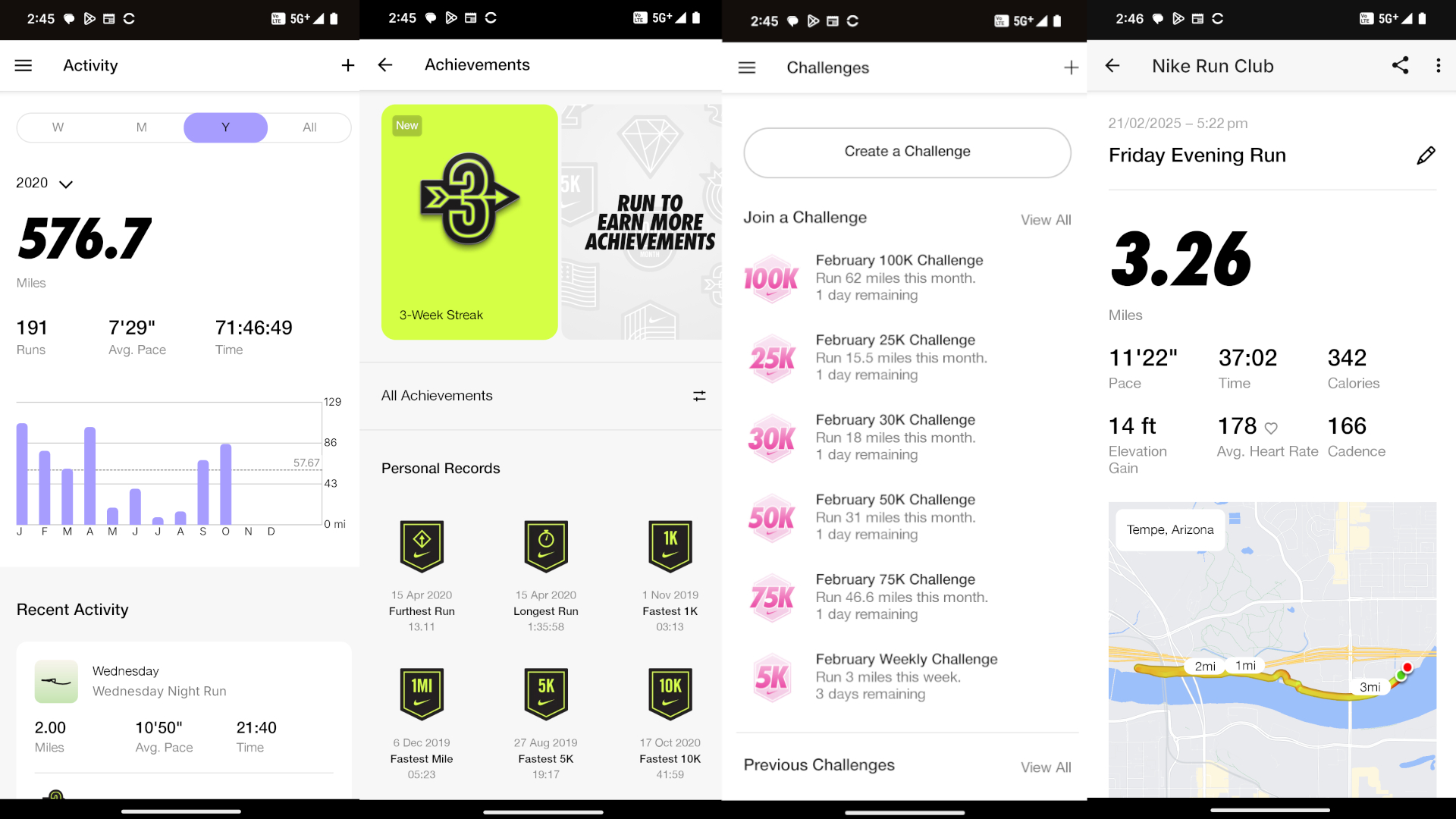
Key Fitness features: Activity tracking, media playback controls, 5K/10K/13.1/26.2 training plans, audio-guided runs, challenges, streaks, real-time location sharing
Subscription: None
Why Nike Run Club will help with your goals: NRC is popular with veteran runners as a running-focused alternative to Strava with similar gamification (i.e., badges, challenges, and likes) and long-term stat tracking.
Why I recommend it for beginner couch-to-5K runners, aside from the lack of subscription, is Coach Bennett’s audio-based guided runs. As you run, the pro running coach will give you pointers and motivation as you’re struggling to keep pace and stay moving.
Why we rely on Nike Run Club: “I’ve used Nike Run Club to run over 1,500 miles across a decade and countless devices. NRC handles the basics excellently, with the bright and bold Nike font making your pace, duration, heart rate, and more visible at a glance. It supports media playback controls, and its post-run breakdowns are both data-rich and easy to understand. The app prioritizes friendly competition with other users (with weekly challenges) and yourself (with awards and milestones) while reminding you to rest.” — Brady Snyder, Contributor
“Nike Run Club helps me get into highly productive steady-state runs and brainless interval training. I just open it, choose a run that matches my intention, and move my feet.” —Tshaka Armstrong, Contributor
Alternative option: Try Zombies, Run!, which has dozens of hours of audio stories designed to keep you motivated as you run, including some Marvel adventures.
(Image credit: Source: Jordan Palmer / Android Central)
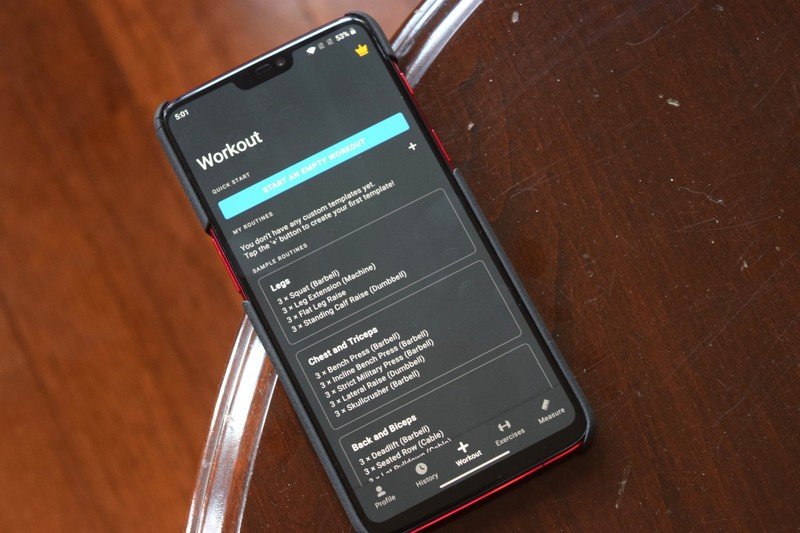
Key Fitness features: Customizable workouts with custom sets, full exercise list, workout graphs, macronutrient tracking
Subscription: $5/month or $30/year (Unlimited workout templates, analytics like muscle maps and macros)
Why Strong will help with your goals: Whether you’re working out at home or the gym, you don’t need an app distracting you. You need simplicity, a streamlined workout log where you can check off one exercise or set, then move on to the next, without giving yourself a chance to slack off.
Strong fulfills that niche! You can build out workouts using its comprehensive exercise library, including Warm-ups and Drop/ Failure sets, and then follow that workout to completion. The PRO subscription gives you more data, but the free version is more than good enough to get you started.
Why we rely on Strong: “Strong is the gym diary where I fully flesh things out. I built out my workouts and track not only my progressive overload but my body part gains (i.e., biceps, calves, quads, etc.).” — Tshaka Armstrong, Contributor
Alternatives: Try Hevy for a workout log with more community features, or Fitbod if you need AI help building your workouts.
(Image credit: Nandika Iyer Ravi / Android Central)
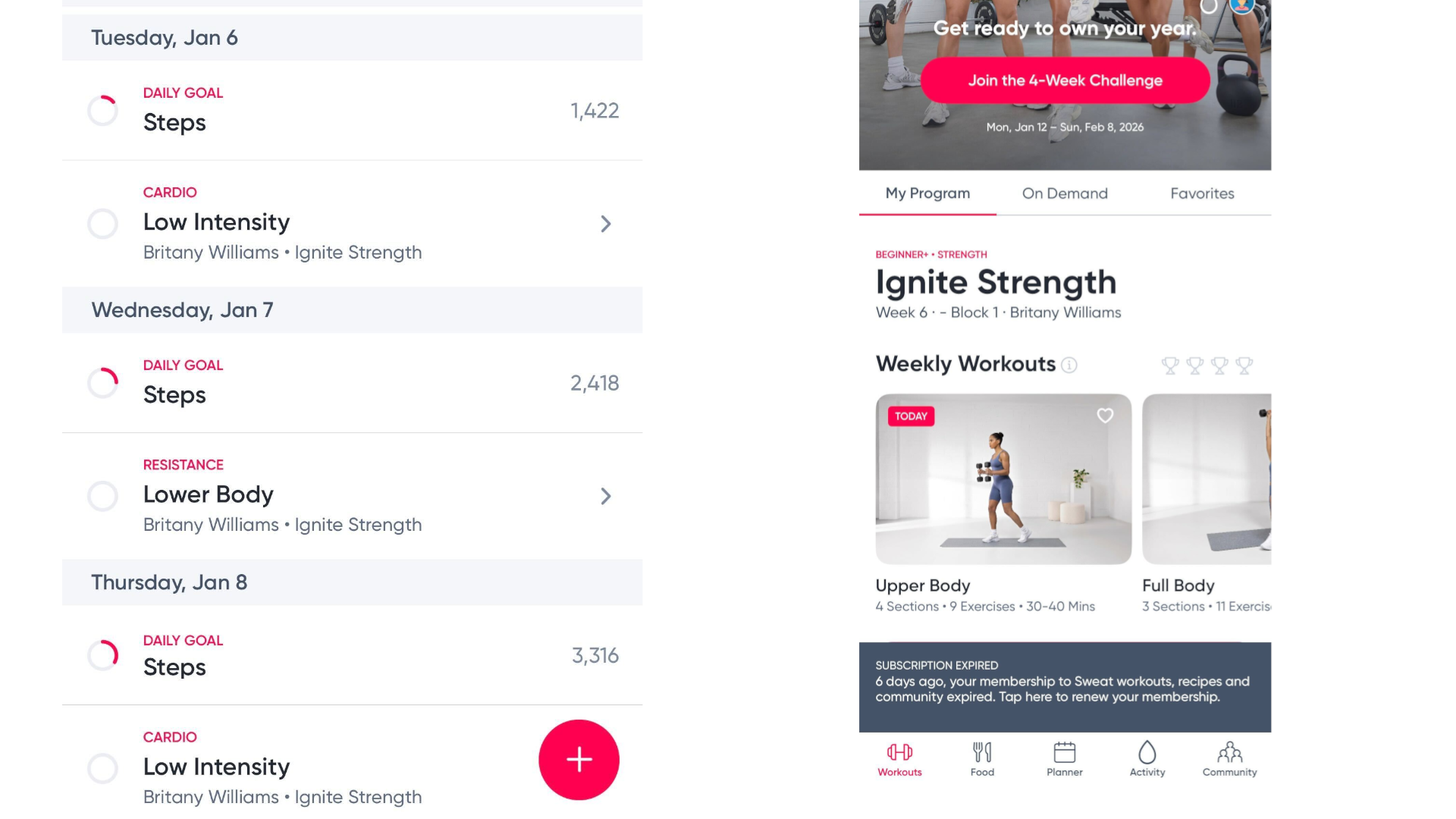
Key Fitness features: Prebuilt programs, on-demand workouts, pro trainers, exercise form guides, healthy recipes
Subscription: $20/month or ~$120/year (mandatory)
Why Sweat will help with your goals: Tailored to women, Sweat has long-term strength programs tailored to any skill level, with a clean UI that makes it easy to navigate through workouts and see (A) the proper form for every exercise and (B) the muscle map of how it’ll impact your body. It’s on the expensive side but offers a lot of value as an alternative to a (more expensive) personal trainer.
Why we rely on Sweat: “I subscribe to Sweat because it provides a perfect balance of cardio and strength training workouts, without requiring me to plan my entire week. As a postpartum mom with very little time, knowing exactly which workout I’m due to do each day is incredibly helpful and truly eases my mind.” — Nandika Iyer Ravi, News Editor
Alternatives: Peloton or Apple Fitness+ are the obvious big hitters for general coaching, while Centr is a more hardcore option.
Smartwatch/ smart ring companion apps
Image 1 of 3
 (Image credit: Michael Hicks / Android Central)
 (Image credit: Michael Hicks / Android Central)
 (Image credit: Garmin)
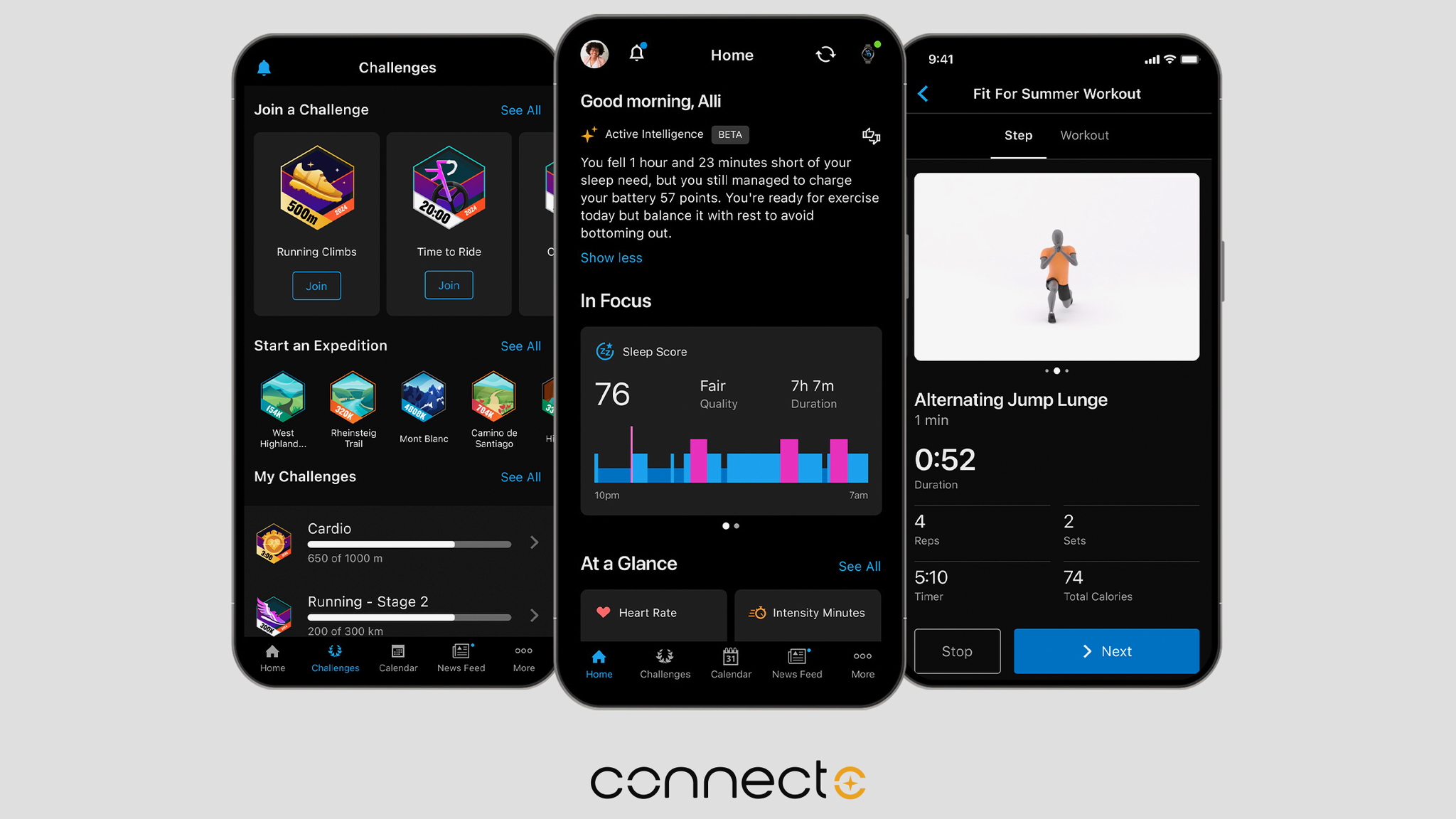
Key Fitness features: Garmin Run/ Cycling/ Strength/Triathlon Coach, daily suggested workouts, strength/ yoga workouts, Training Status, Training Load, long-term metric graphs, Garmin Golf, Garmin Trails, LiveTrack, downloadable/ custom courses, Challenges & Badges, gear tracking, race predictions, and more
Key Health features: Body Battery, HRV Status, Sleep Score/ Coach, menstrual tracking, food logging with AI image recognition and barcode scanning, Lifestyle Logging, Health Status
Subscription: $7/month or $70/year (AI summaries, Nutrition logging, Trails, Performance Dashboard, coaching videos, and other small features, not required)
Why Garmin Connect will help with your goals: Garmin watches mainly get praise for the long-lived hardware and post-workout analysis on your wrist. Garmin Connect is a bloated, labyrinthian app that takes time to adjust to, but it’s filled to bursting with features you won’t find elsewhere (especially for free), most notably personalized training plans and daily suggested runs, rides, walks, or strength workouts.
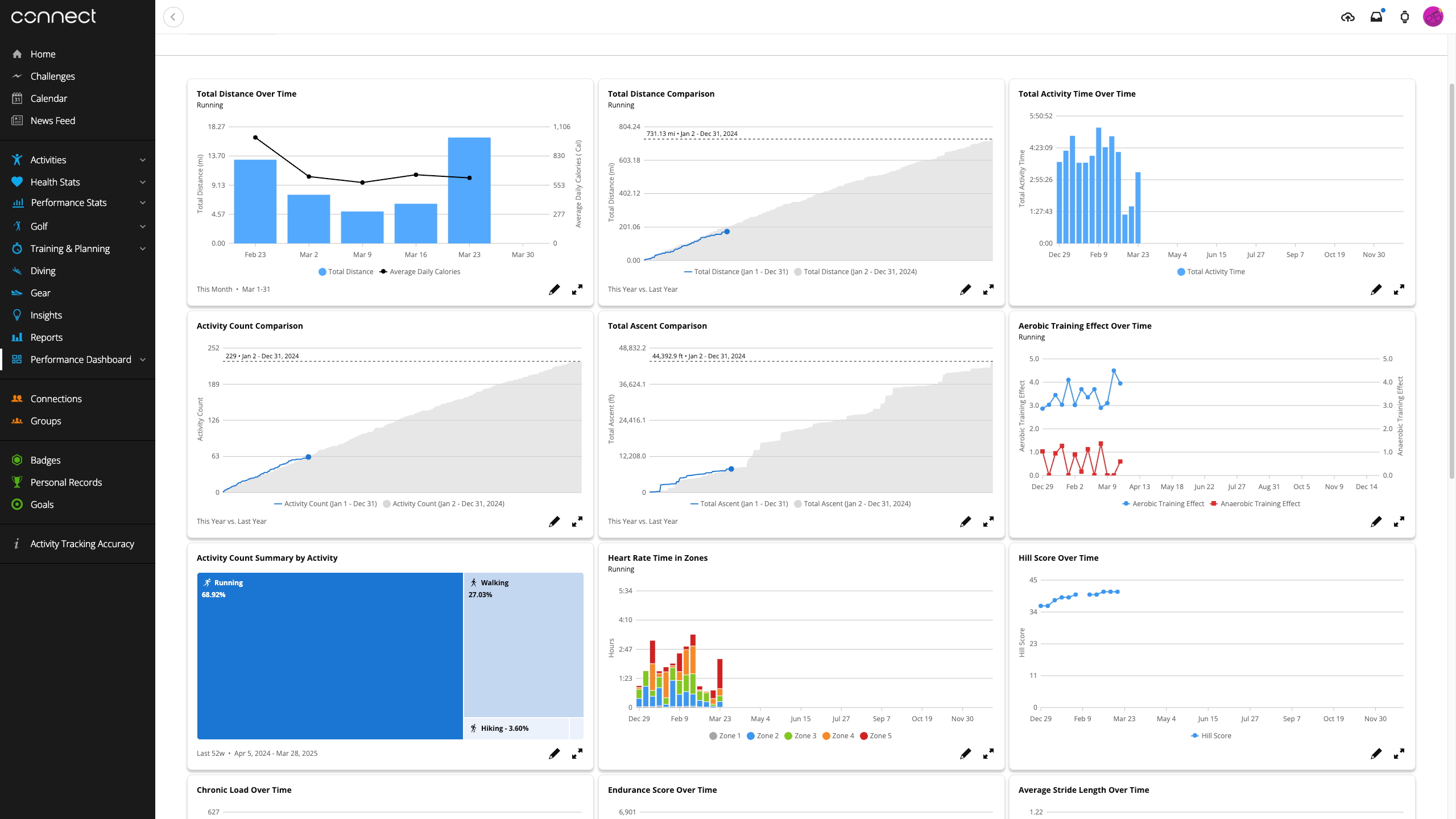
The Activities tab lets you see how your efforts compare week-to-week or month-to-month, while the Performance Dashboard (above, subscribers only) makes your data even more colorful and dynamic. Garmin also added food logging, Lifestyle Logging, and health outlier warnings to the app recently, making it obvious that it wants Connect to appeal to more “mainstream” athletes, not just the pros.
Why we rely on Garmin Connect: “Garmin feels more comprehensive and ideal for serious gym-goers than Fitbit.” — Derrek Lee, Managing Editor
“Garmin has helped me hit marathon and half-marathon PRs, improve my VO2 Max, and run more miles than I ever have before. It motivated me with dynamic run suggestions based on my training load and running tolerance, so I always knew how hard to push without overdoing it.” — Michael Hicks, Wearables Editor
Image 1 of 4
 (Image credit: Derrek Lee / Android Central)
 (Image credit: Derrek Lee / Android Central)
 (Image credit: Oura)
 (Image credit: Nandika Ravi/Android Central)
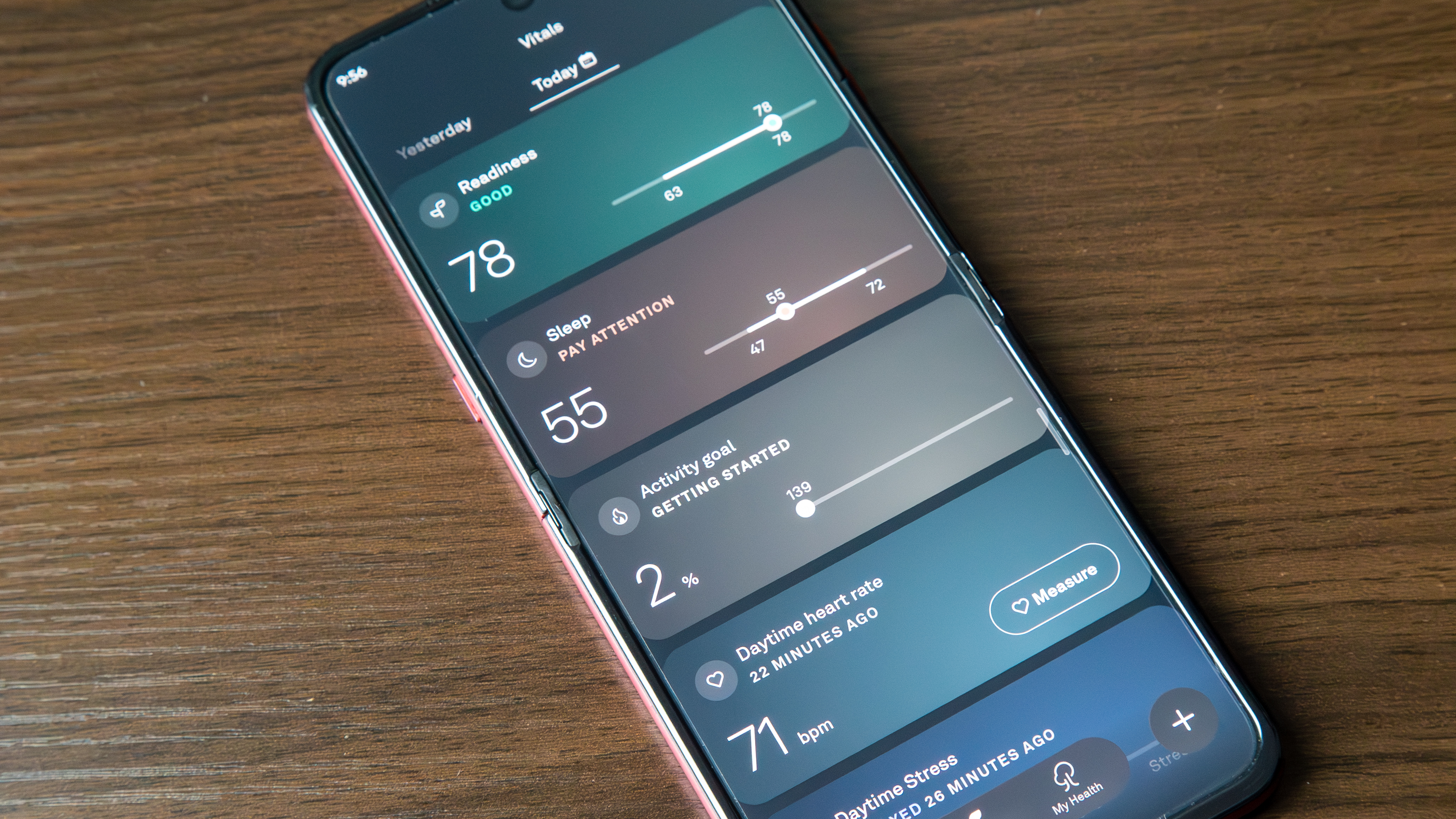
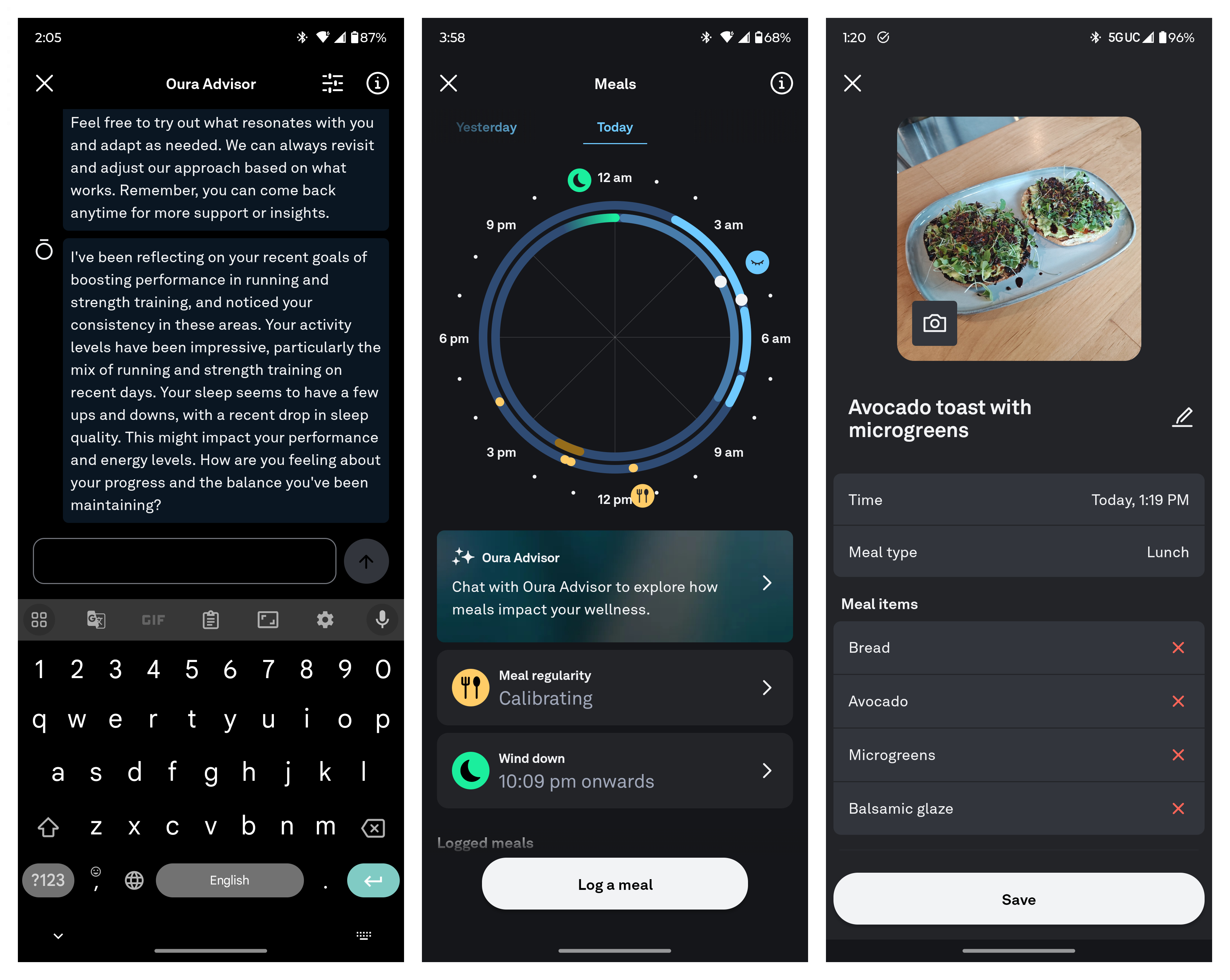
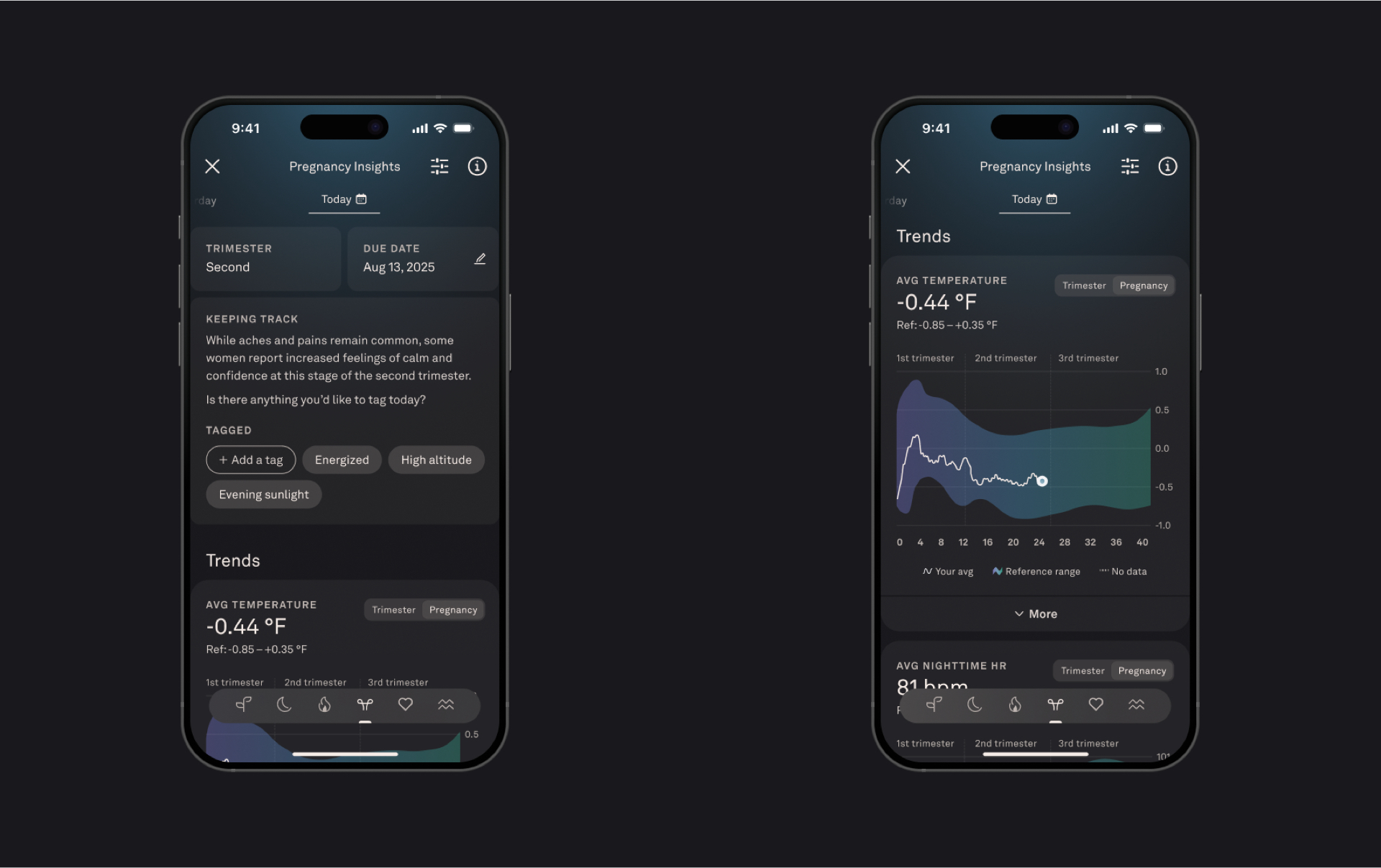
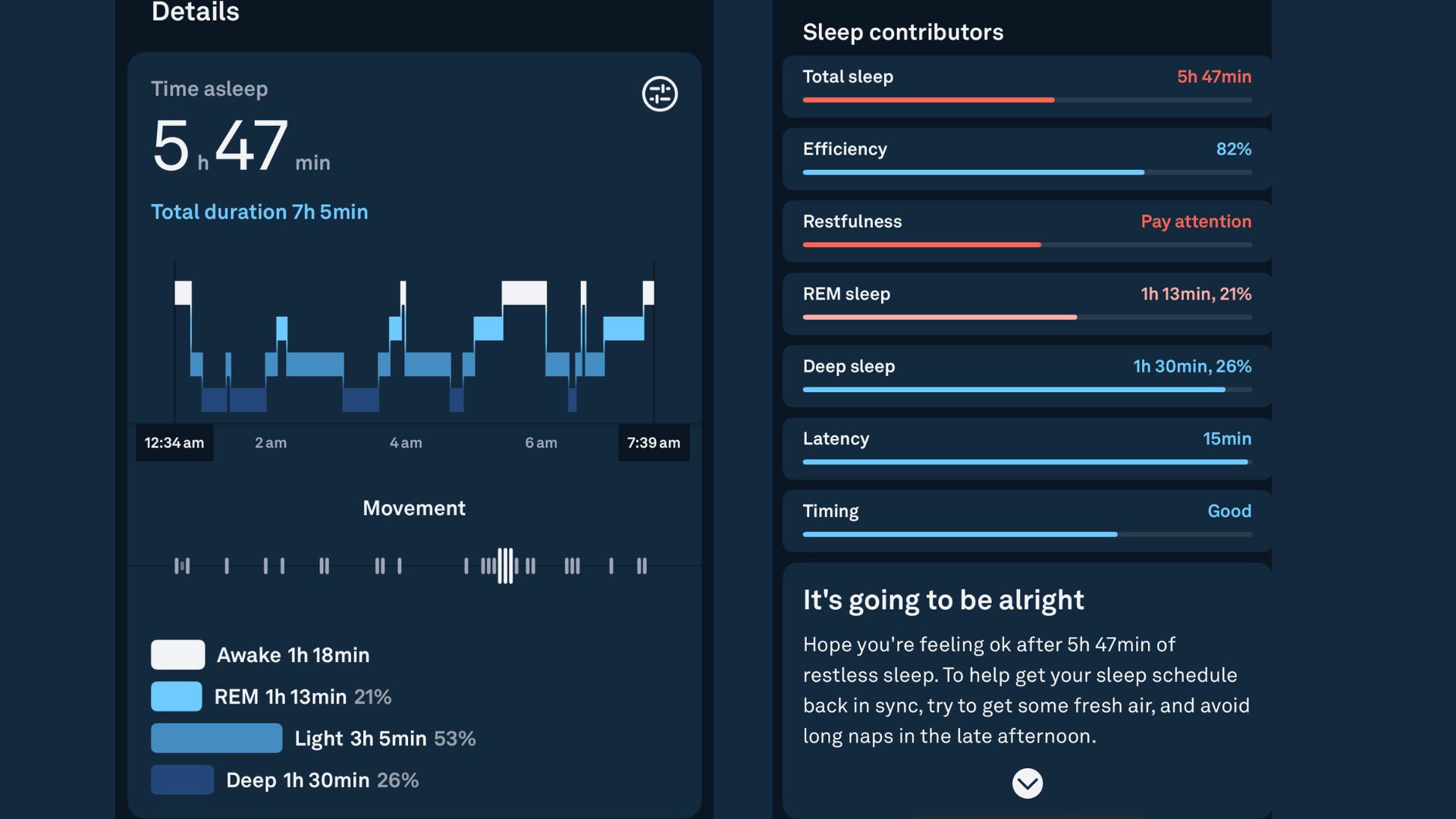
Key features: Readiness, Sleep Score/ Debt, Health Panels, Meal logging, Cycle/ Pregnancy/ Premenopause insights, Cardiovascular Age, Daytime Stress, Resilience, Oura Advisor, Automatic Workout Detection
Subscription: $6/month or $70/year (mandatory)
Why Oura will help with your goals: The appeal of a smart ring is to get a laundry list of data, day and night, for those who find smartwatches too bulky, distracting, or uncomfortable for sleep tracking. And the Oura Ring tops our best smart ring list on the strength of its app.
Over the last few years, Oura has packed its app with a comprehensive list of health metrics, with the AI Oura Advisor as the flashy topper to make everything more accessible. Aside from the obvious nightly stats about sleep quality or heart health, Oura tries to analyze long-term trends and provide more context on your body’s ability to handle stress. And it offers some rudimentary fitness tools.
Why we rely on Oura: “I rely on Oura as my daily mental health monitor. It tracks when I’m stressed and provides personalized tips for getting the rest I need.” — Nandika Iyer Ravi, News Editor
“The Oura app is a passive experience for me. I use it to check my sleep quality and overall daily health and wellness, as I wear it more consistently than my Garmin or Pixel watches.” — Derrek Lee, Managing Editor
Image 1 of 2
 (Image credit: Nicholas Sutrich / Android Central)
 (Image credit: Nicholas Sutrich / Android Central)
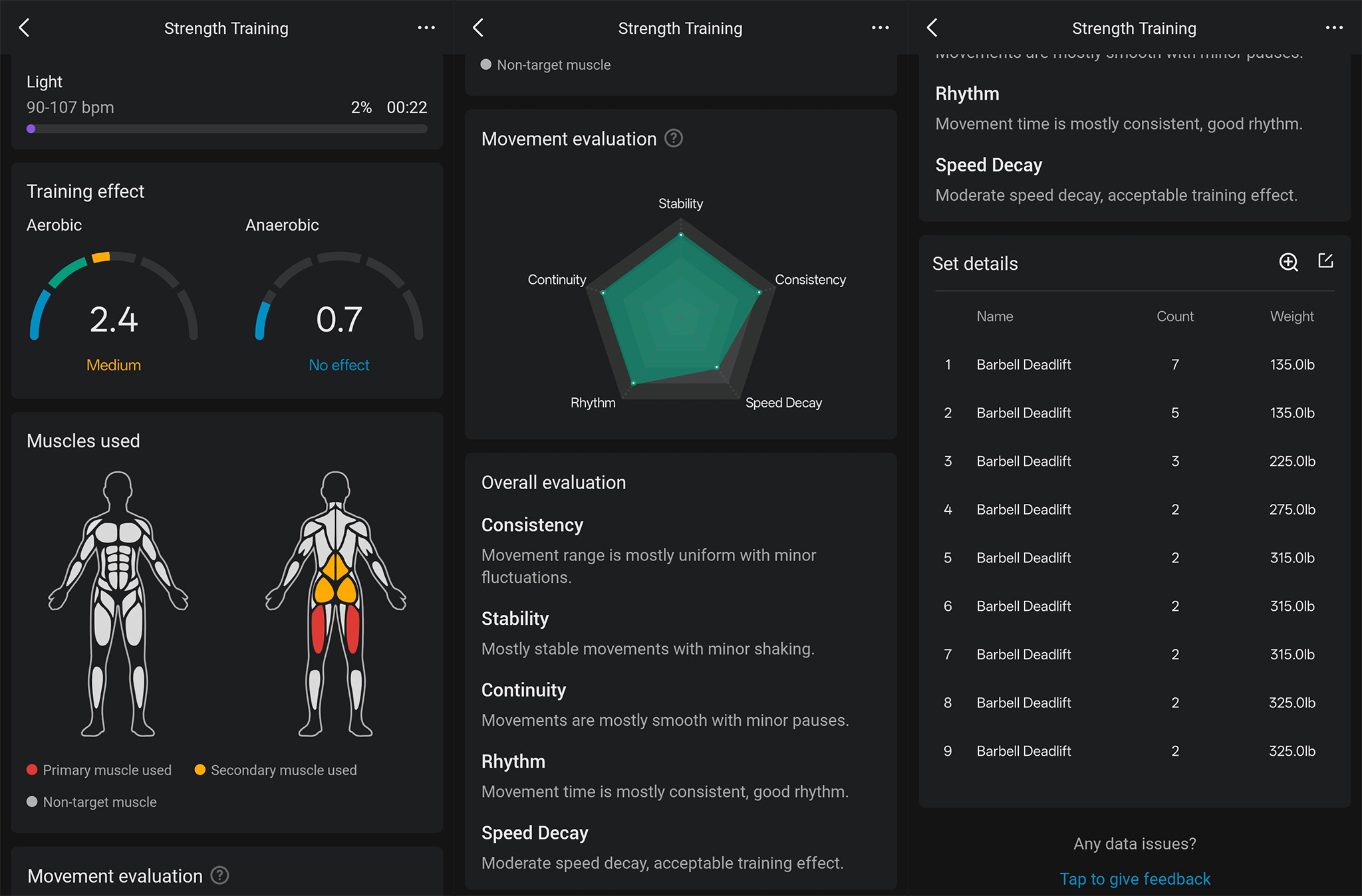
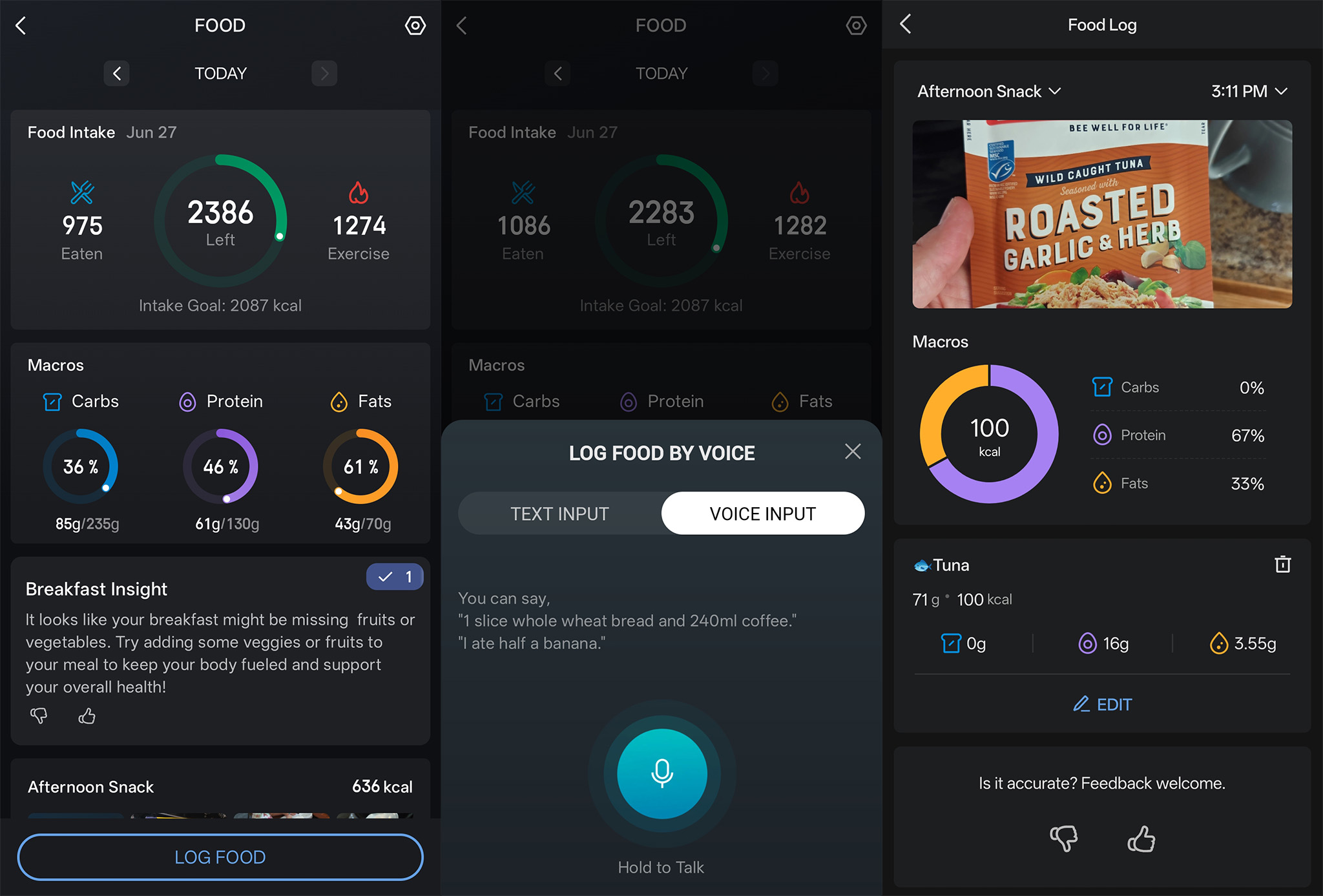
Key features: Readiness, Sleep Score, Exertion Score, PAI score, Zepp Coach training, food logging with AI image recognition, tracked strength workouts with rep counts and muscle maps
Subscription: $12/month or $70/year (Zepp Aura advanced sleep reports, music, meditation, and AI coach)
Why Zepp Health will help with your goals: Amazfit watches are well-known for their budget value, but it’d be harder to recommend these budget watches if the companion Zepp Health app weren’t so useful.
You’ll find the usual collection of nightly health data, but packaged nicely with straightforward scores. The Zepp Coach can help build workout plans tailored to your abilities, while food logging is more straightforward than on other apps. And aside from the optional Aura sub, everything is free.
Why we rely on Zepp Health: “I pretty much use Amazfit exclusively these days. The Zepp app syncs perfectly with Strava, which I use to share with friends and build community. The Zepp app also makes it stupid easy to log food with its LLM-driven technology. I’ve written about this several times now, but you can use natural language to input your meals and snacks instead of scrolling through a bunch of lists or scanning barcodes.” — Nick Sutrich, Senior Content Producer
Weight & nutrition/ diet apps
(Image credit: Nandika Iyer Ravi / Android Central)
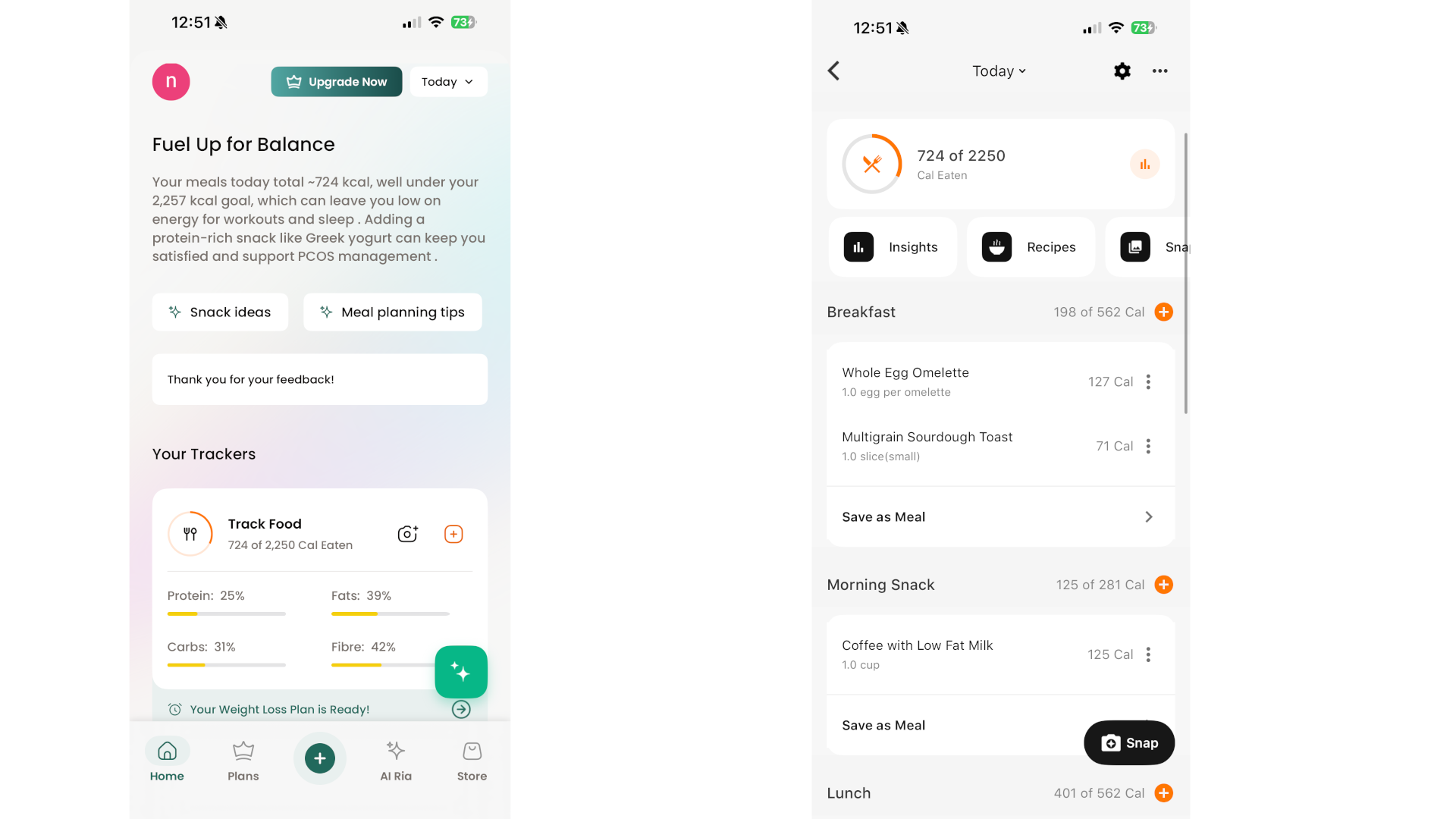
Key features: Nutrition tracking, food logging, AI recognition, AI chatbot for recipes, calls with nutritionists, connected CGM
Why Healthify will help with your goals: Logging every single meal and snack is a major time suck, especially when you need to calculate every ingredient to a meal. HealthifyMe’s whole premise is removing that delay by letting you simply photograph something and get the nutritional stats in a flash. It also has AI coaching and suggestions, or a way to connect with real nutritionists for a fee, but the streamlined food logging is what made this app so popular.
Why we rely on Healthify: “HealthifyMe is my go-to for staying accountable to my calorie deficit.” — Nandika Iyer Ravi, News Editor
(Image credit: Derrek Lee / Android Central)
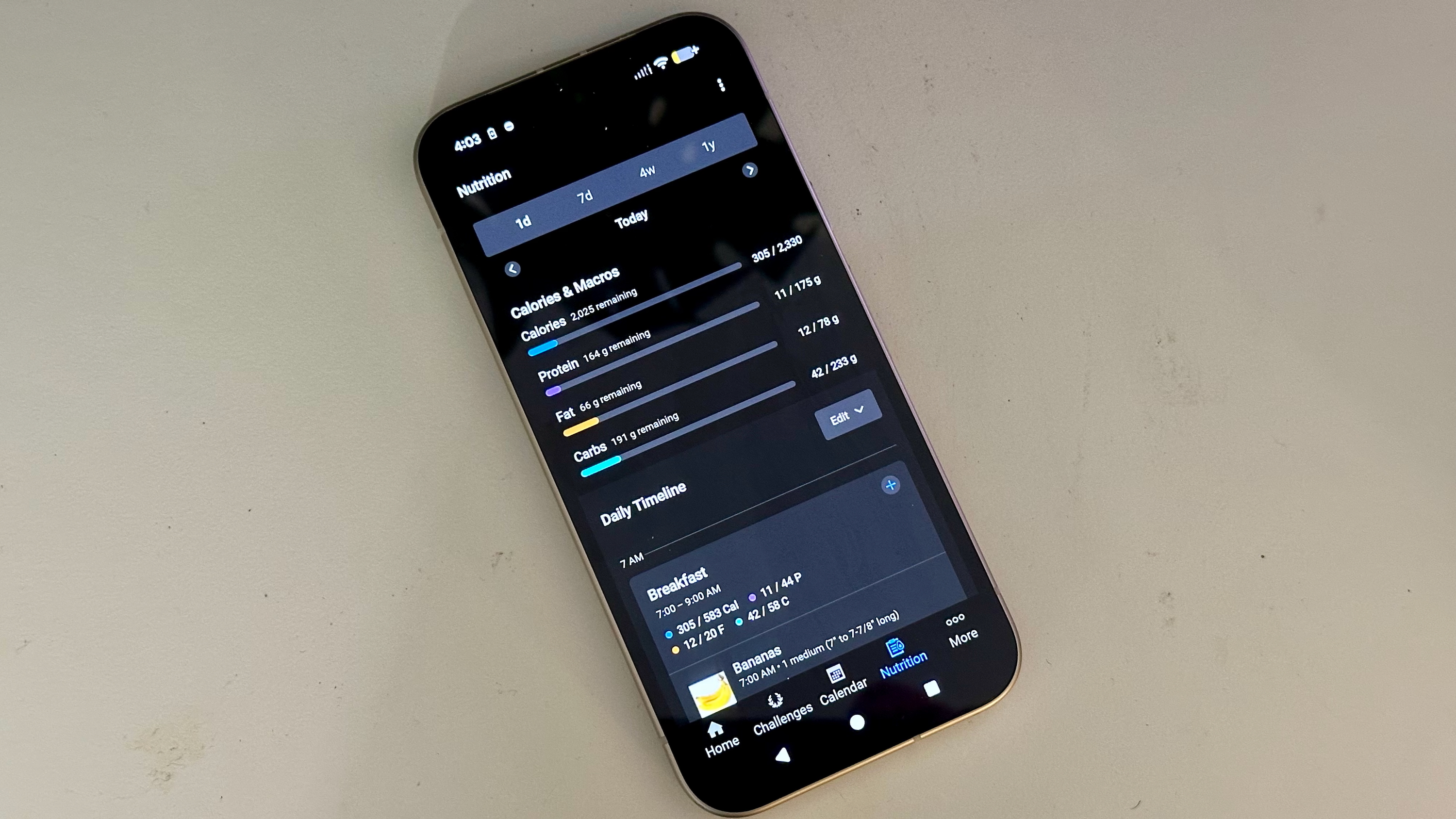
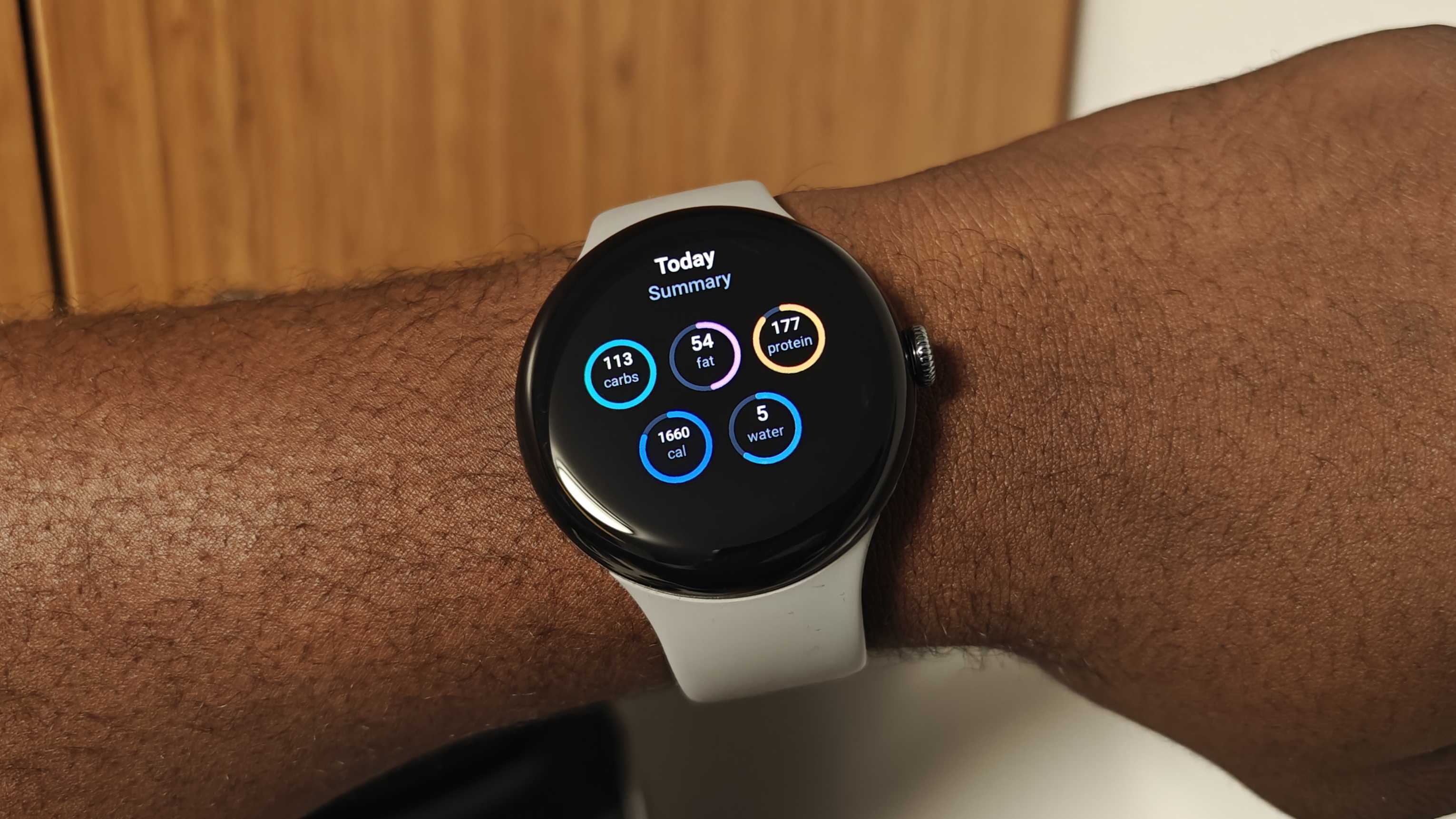
Key features: Food logging, calorie and macro counting, voice logging, AI meal scan, barcode scanning, intermittent fasting tracker, recipes, grocery list sharing,
Subscription: $25/month or $100/year (for most features besides basic manual food logging and calorie count)
Why MyFitnessPal will help with your goals: It’s the same reasons we listed for Healthify, except MyFitnessPal has a slightly longer feature list in exchange for its subscription, like thousands of recipes, personalized meal planning, voice logging, progress reports, and so on. You’ll also find Android and Apple Watch apps, making it easy to check your daily stats or quickly log a favorite meal.
Why we rely on MyFitnessPal: “MyFitnessPal helps me keep track of my lifestyle and habits. I log my meals and exercises to monitor my macros.” — Derrek Lee, Managing Editor
(Image credit: Android Central)
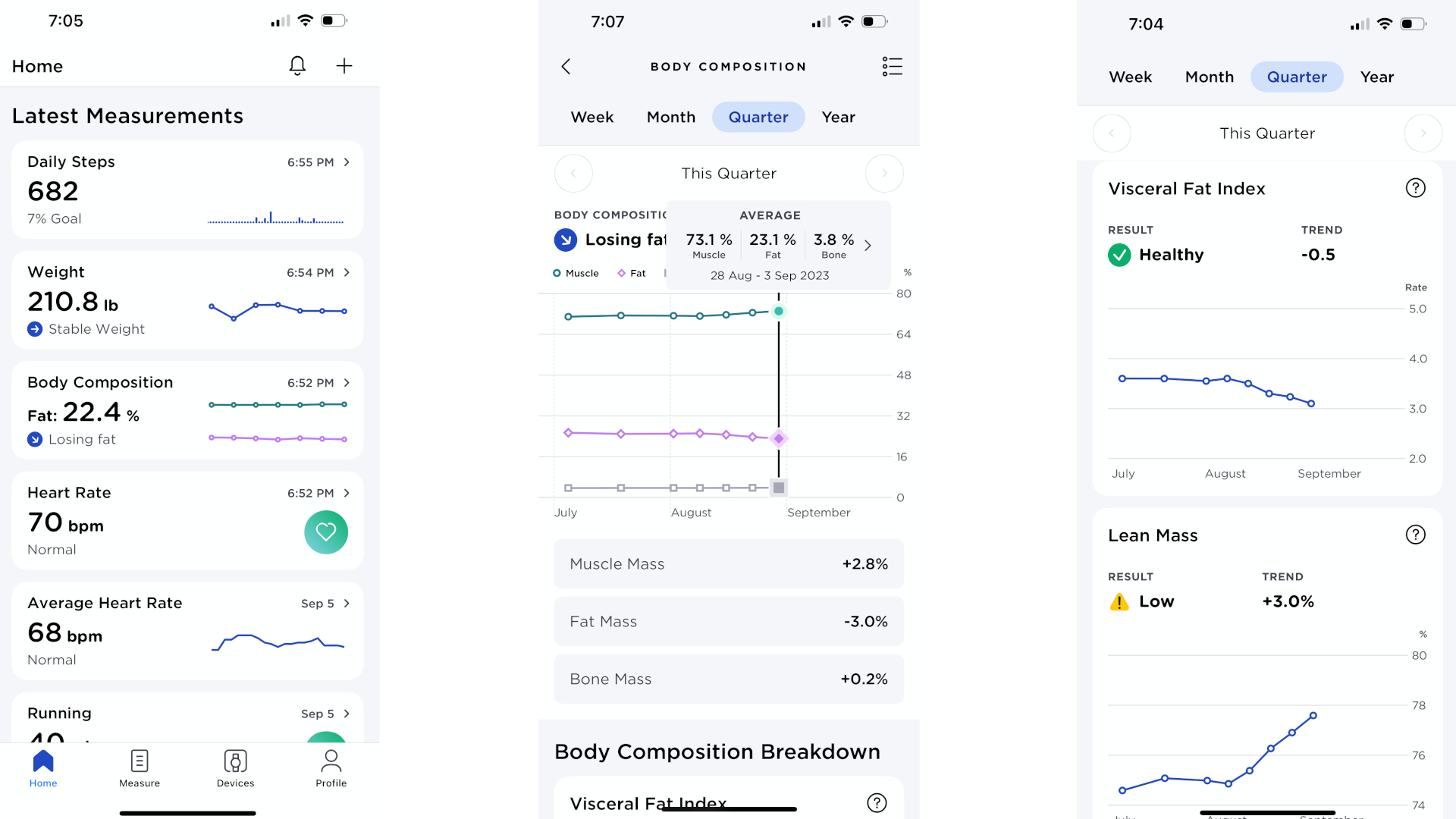
Key features: Connects with smart scales for weight, body composition, visceral fat, and more
Subscription: $10/month or $100/year (Health Improvement Score, Cardiologist review, Health Assistant, Smart Trends, etc.)
Why Withings will help with your goals: You can replace Withings with other smart scale brands, but this app tends to be a staff favorite. The gist is that you can see more than your weight, but also your body fat/ muscle percentage and (with fancier scales) specific data on how that fat is segmented throughout your body. Essentially, having a smart scale will help you track how your health and fitness goals are directly impacting your body.
Why we rely on Withings: “Withings is very important to me as a Type 2 diabetic. It gives me a segmental analysis of body fat & muscle losses and gains. What’s most important is the visceral fat metrics, how it tracks the fat around your internal organs that can literally mean life or early death.” — Tshaka Armstrong, Contributor
“Withings shows me my weight, body fat, and muscle mass, as well as how I’m trending, which helps me know if I need to make changes.” — Derrek Lee, Managing Editor